 Vistream
Your playlists. Every screen.
Vistream plays the M3U and Xtream playlists you already have, on your TV, phone, tablet and Mac. Add a playlist once and every device has it, with the same My list and the same place in every film.
Free for your first year, then $2 a year or $5 once, for every device you own. Vistream is a player only: it comes with no channels and no films, you bring your own playlist.
Three steps, then the remote.
There is nothing to type on the television except, at most, a short code.
An email address and a password. The account is what ties your devices together, and it takes a minute.
Paste the M3U link, or enter the Xtream address, username and password your provider gave you. You can keep several playlists and name each one.
Sign in on the phone, or point its camera at the code on the television. The playlist is already there, sorted and ready to browse.
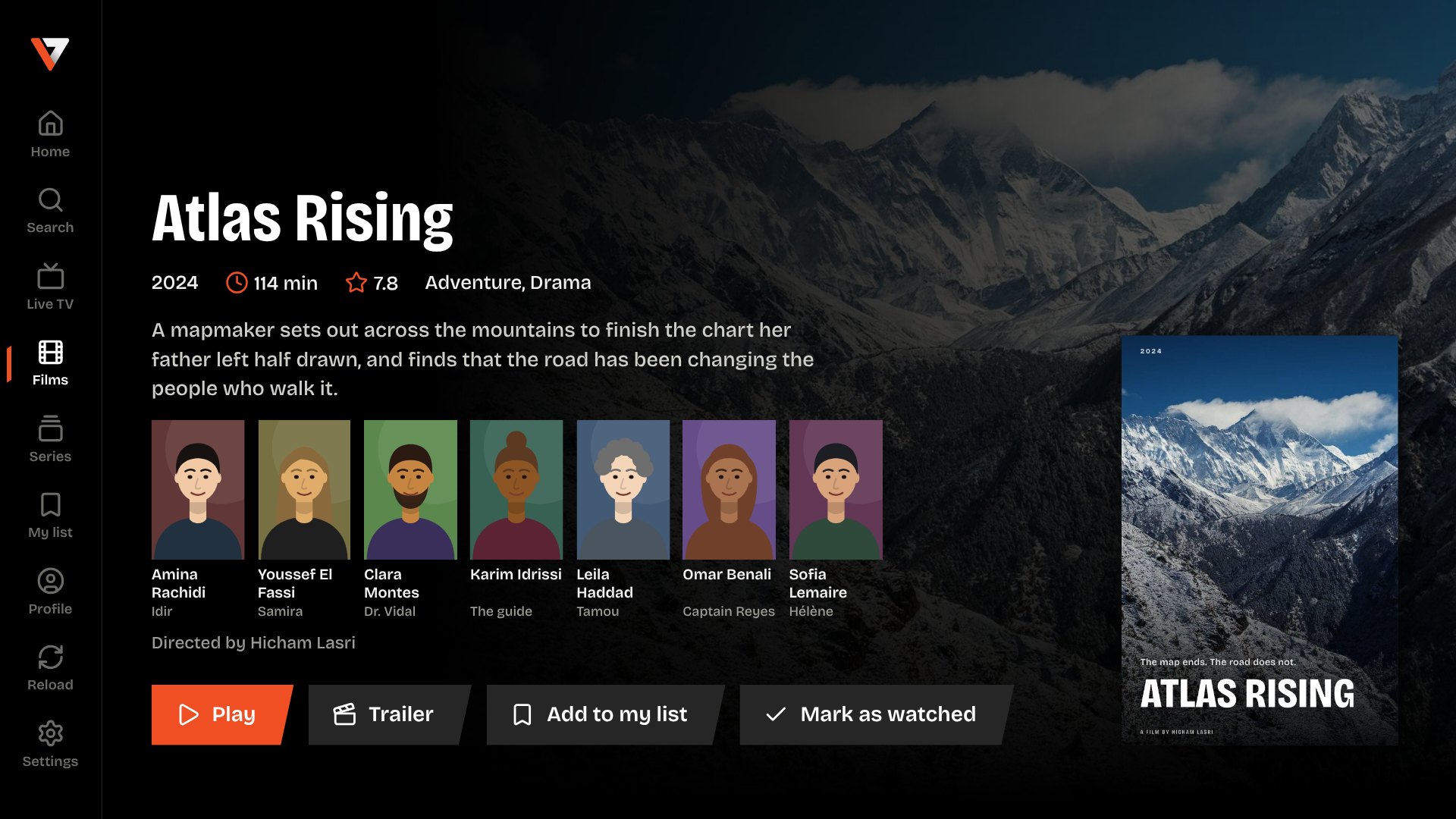
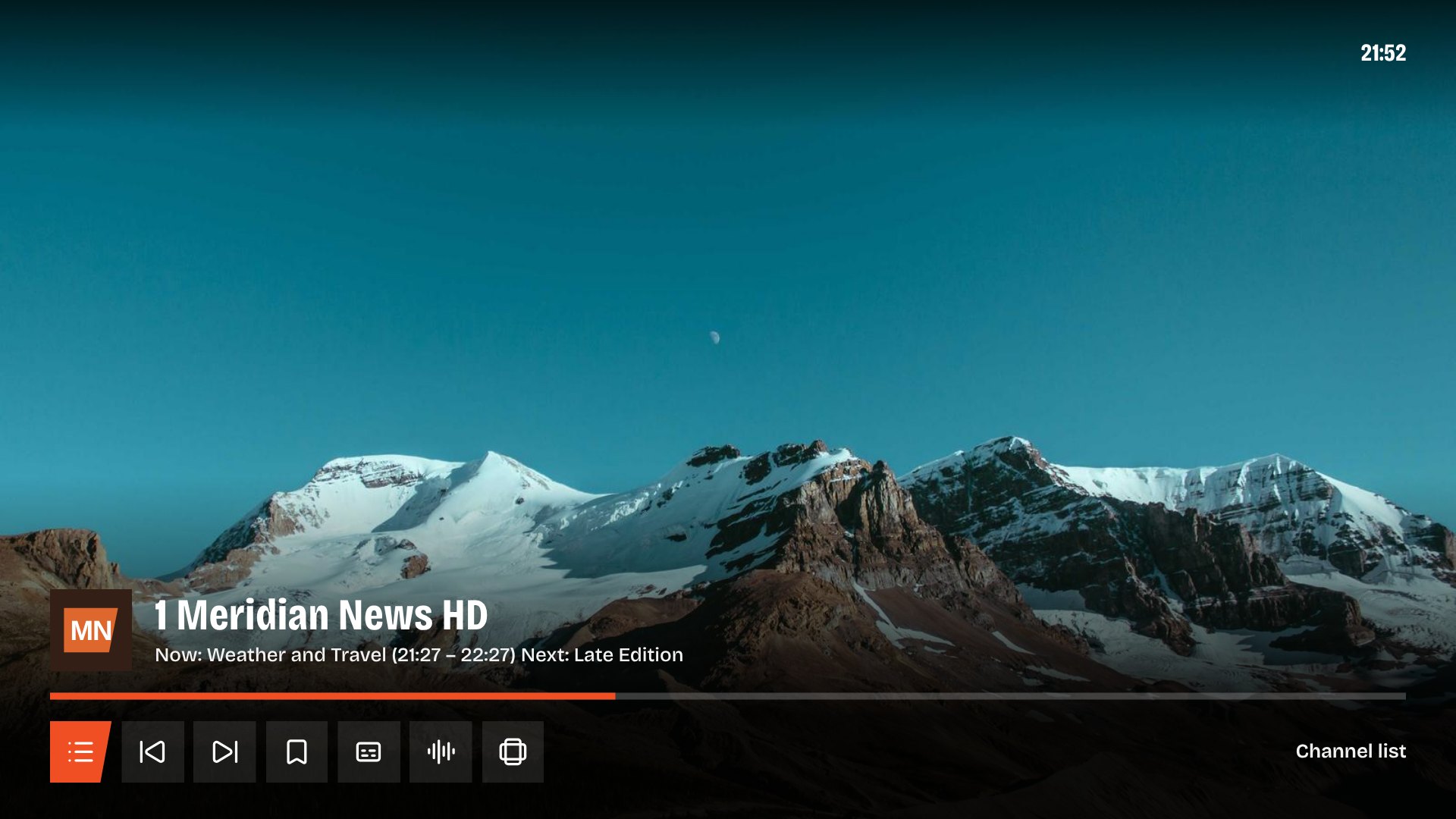
Built for a remote, not squeezed onto one.
Large type, one clear focus, and nothing that needs a pointer. A playlist with hundreds of thousands of titles opens as fast as one with a few hundred.
- Home rows for what you were watching and what was added
- Channel list over the picture, the programme guide one press away
- Next episode starts by itself, with a moment to say no
- Reconnects on its own when a stream drops
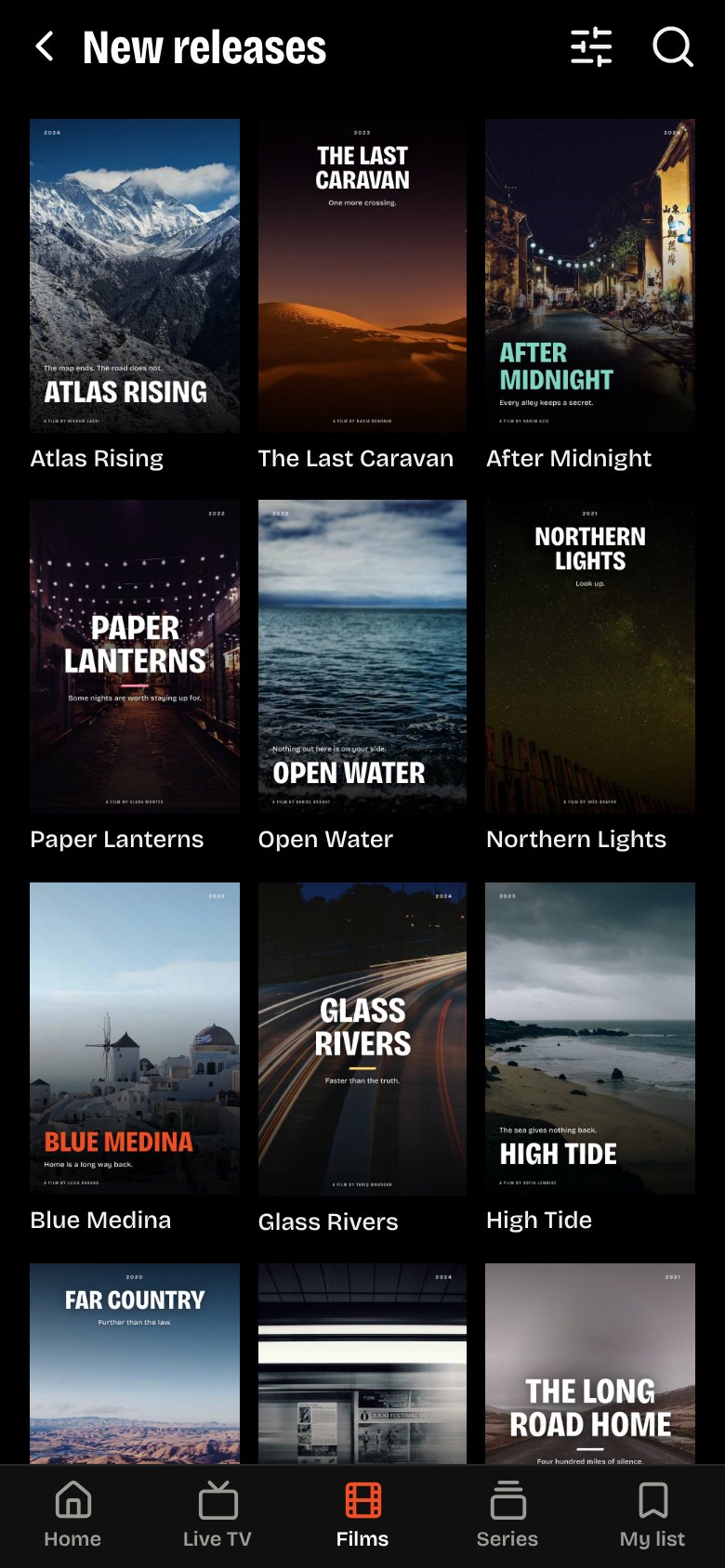
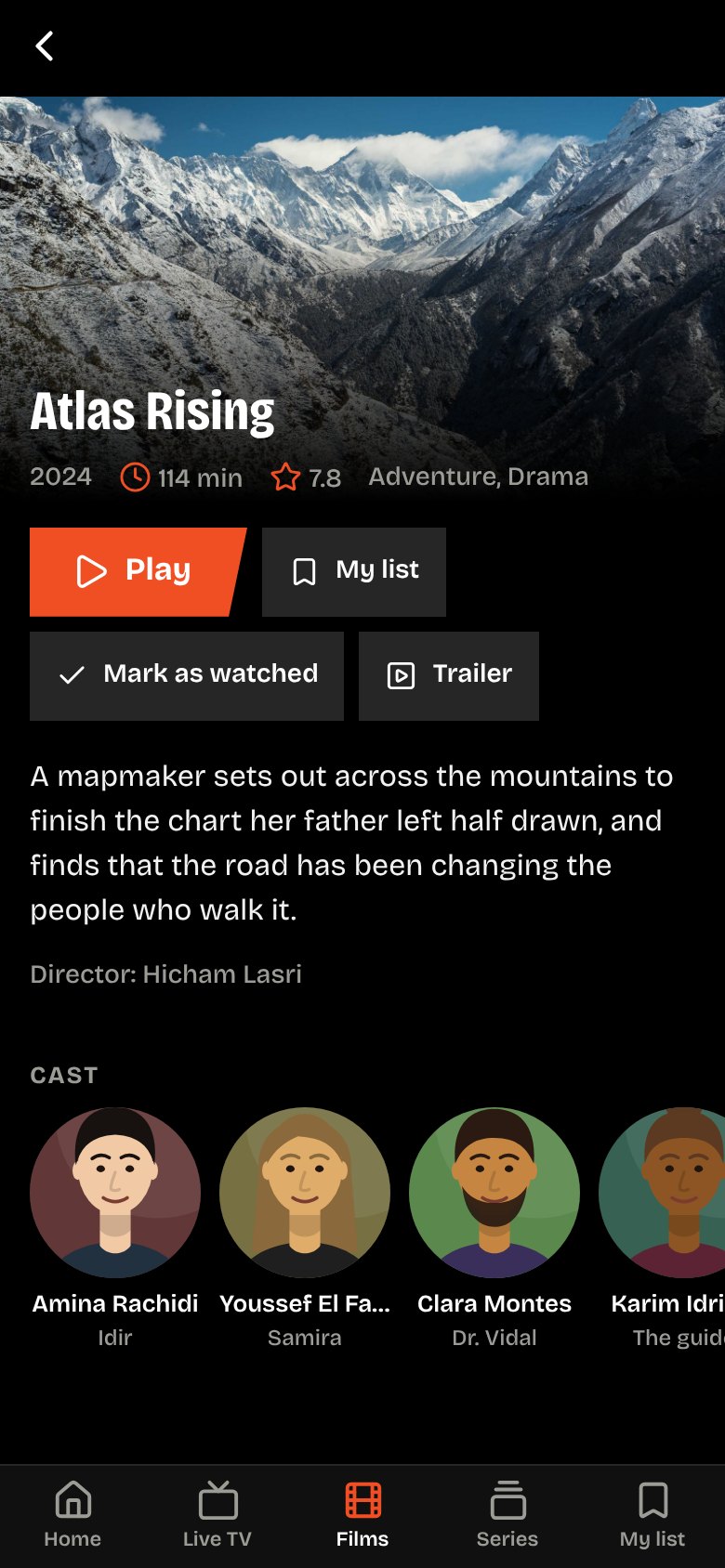
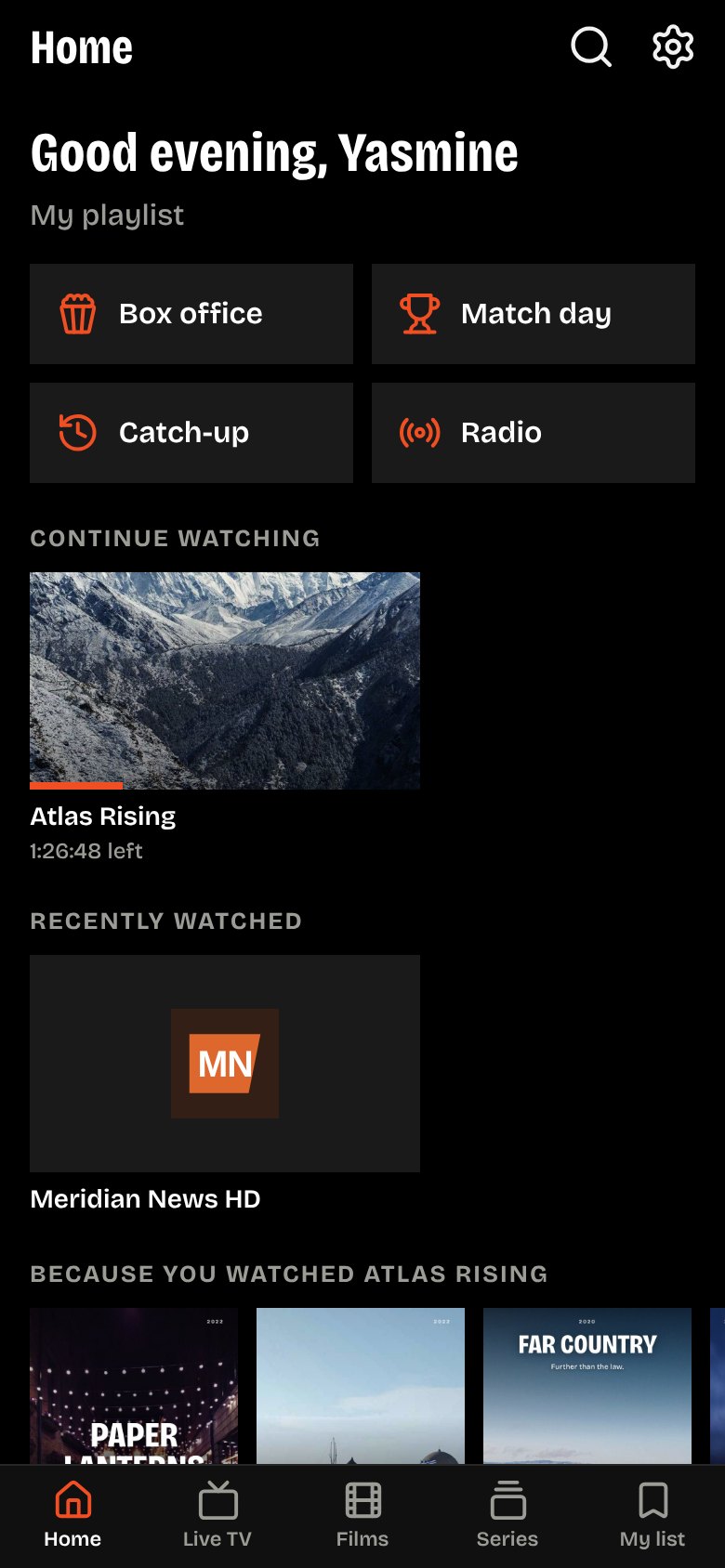
The same library, in your pocket.
Everything the television has, laid out for a thumb. Start a film on the sofa and finish it on the train: the phone knows where you stopped.
- Plays what providers really send, MPEG-TS channels and MKV films included
- Channel list, subtitles and audio choices over the picture
- Approve a television's sign-in with the camera
A proper window, not a stretched phone.
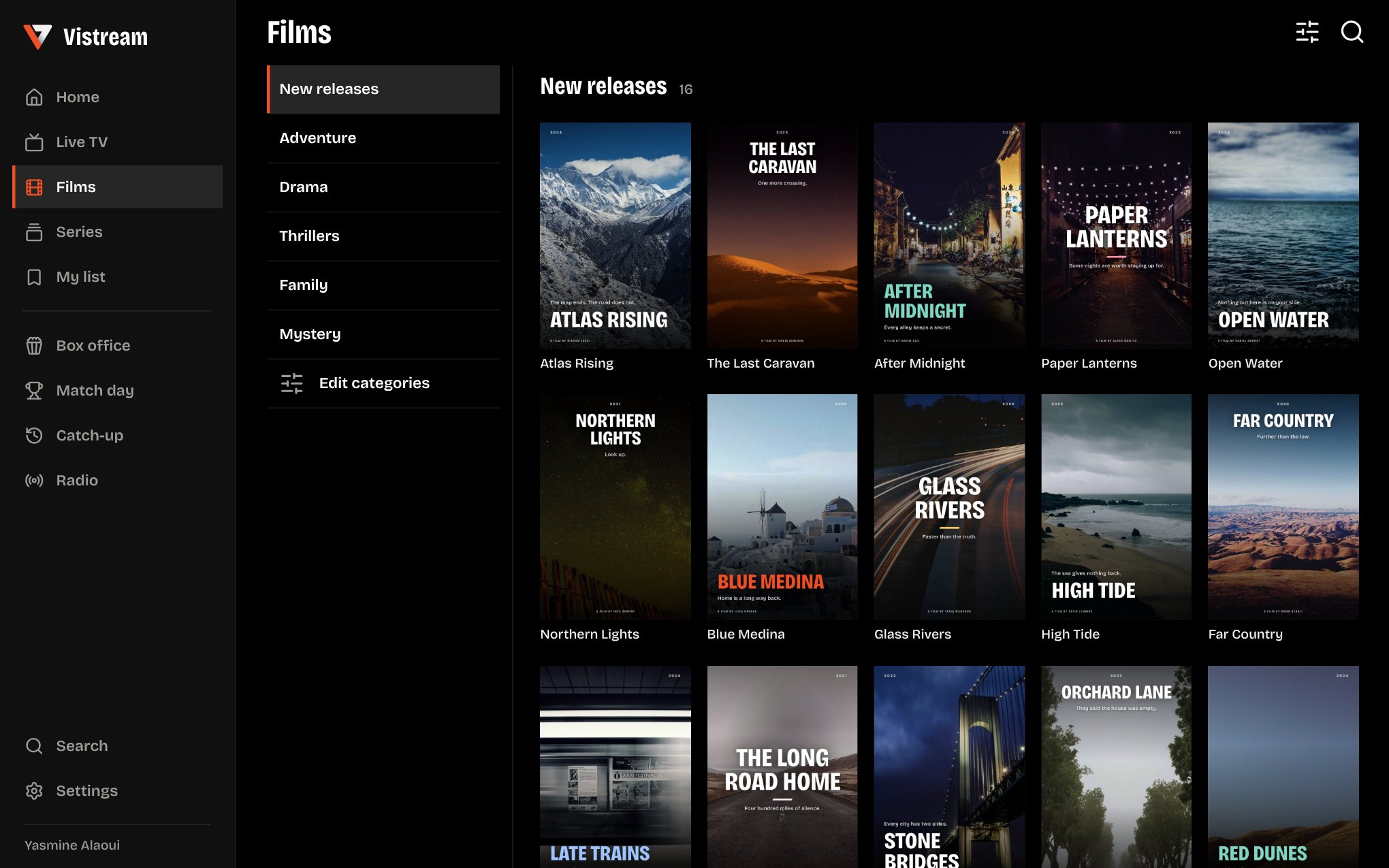
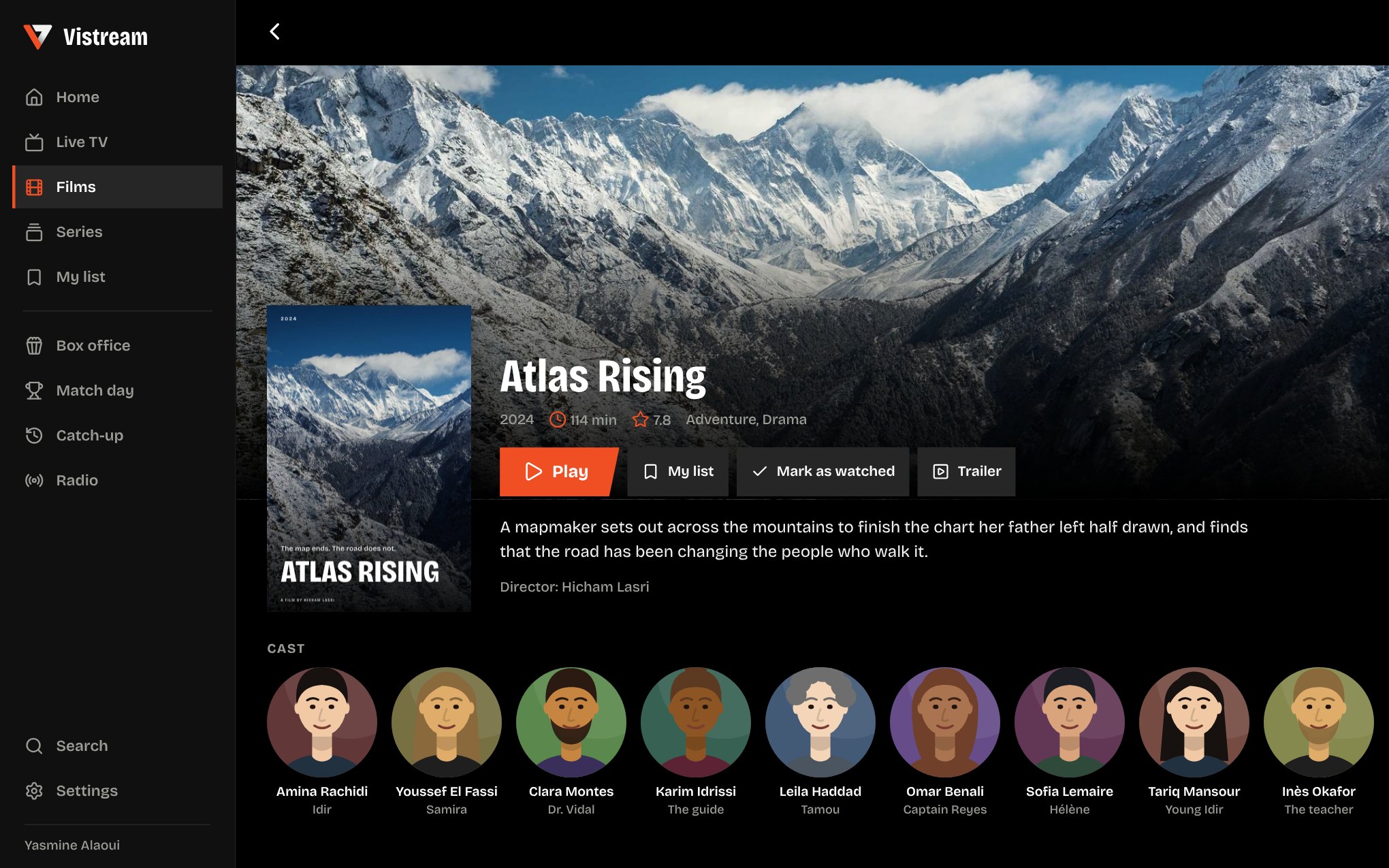
A sidebar, categories beside what they hold, a film page with its poster next to the story, and a player that answers to the mouse and the keyboard.
- Space pauses, the arrows step or change channel
- Press / to search from anywhere
- Text size you choose, for any display
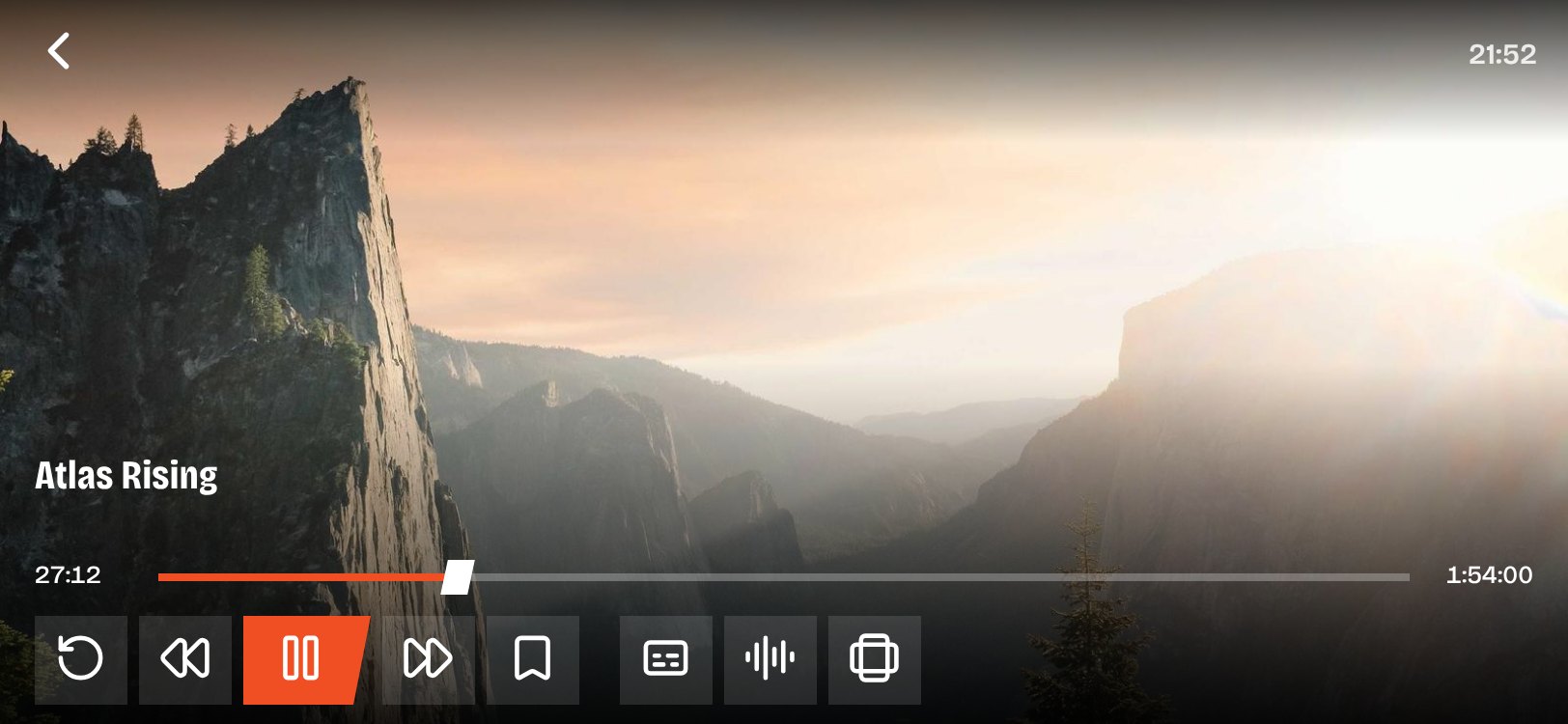
Press play. It remembers the rest.
The same controls on every device, out of the way until you want them.
- Picks up where you stopped, on whichever screen
- Subtitles and audio tracks, changed without leaving the film
- Fit, fill or stretch for a picture sent in the wrong shape
- A sleep timer for the last episode of the night
Everything a good player should do.
And nothing it should not: no adverts and no content of its own.
What is on now and next, a full programme guide, and replay of past programmes when your provider keeps them.
Posters, stories, cast, ratings and trailers. Open an actor to see everything of theirs that is in your playlist.
One search across channels, films and series, forgiving of accents and capitals, quick even in a very large playlist.
My list, what you have watched and where you stopped follow your account to every device.
Each person has their own list and history. Children's profiles and a PIN keep the rest out of reach.
Use the ones inside the video or find others online in several languages, at the size and colour you prefer.
Categories gathered by country and by language, the ones you never open hidden, your favourites pinned first.
Radio stations in your playlist get a screen of their own, apart from the television channels.
No adverts and no outside trackers. Delete your account whenever you like and everything goes with it.
One account, every screen you own.
On Apple and Android devices, and on Samsung and LG televisions. Sign in on as many as you use; they stay in step by themselves.
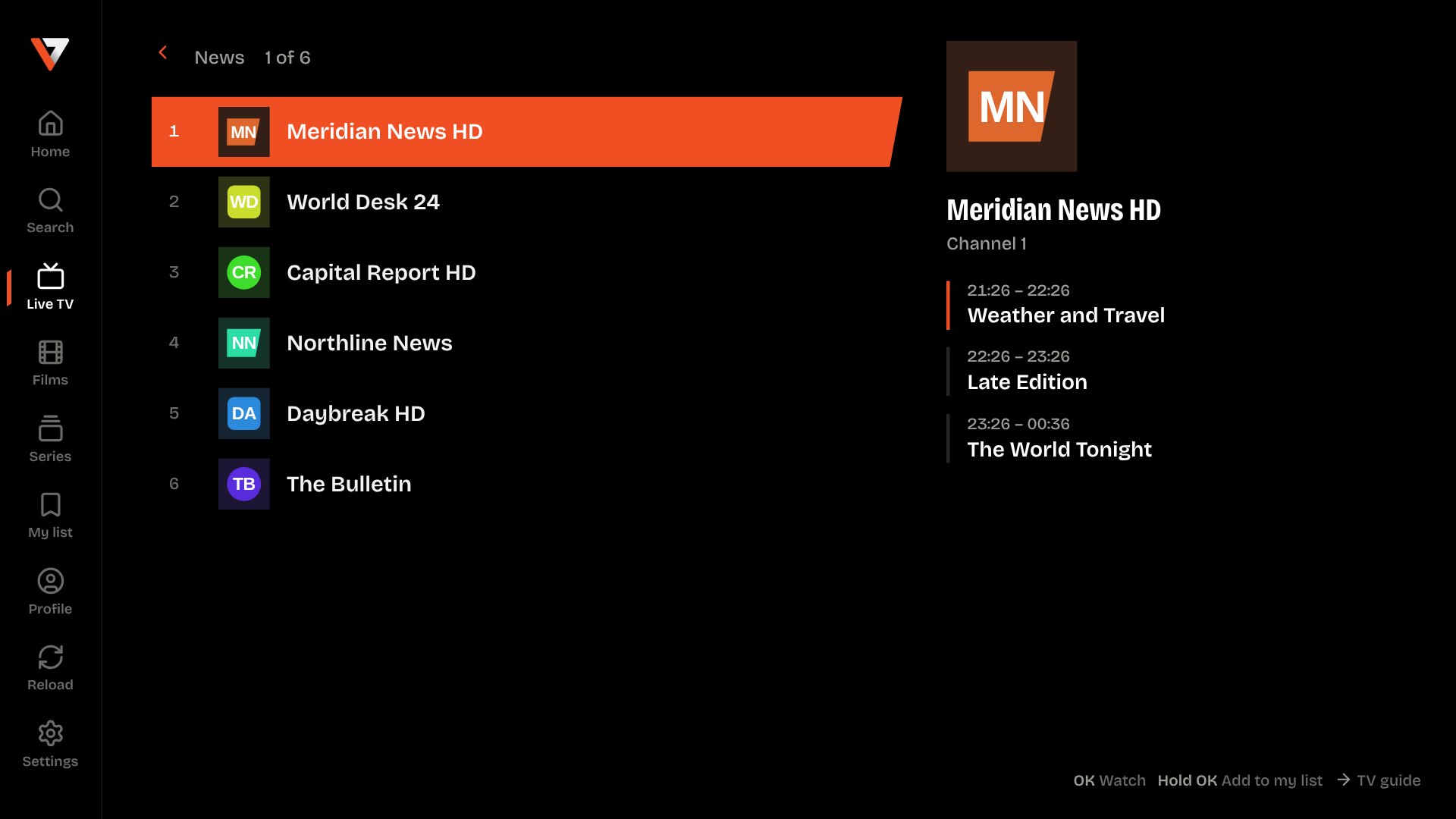
Samsung and LG smart TVs. Sign in by scanning a code with your phone.
iPhone, iPad and Android. A tablet held sideways takes the wide layout.
Macs with Apple silicon, with a layout and shortcuts of their own.
Free for a year. Then less than a coffee.
Every new account has the whole player free for its first twelve months, with no card asked for. After that, one plan covers your whole account: every device, every playlist you add, every feature.
After your free first year: the whole player for twelve months, on every device you sign in on.
See what is includedThe whole player for good. No renewals, nothing to remember.
See what is includedPlans in quantity for shops, installers and businesses. The player only, never content.
Contact usWe make the player. The content is yours to bring.
It helps to be plain about what Vistream is, and what it is not.
Vistream ships empty. It has no channels, films or series of its own, and the pictures on this page show sample data.
What you pay for is the player. We do not sell, resell or recommend playlists or channel subscriptions, and we are not connected to any provider.
Use Vistream only with playlists you have the right to watch. What a playlist contains, and whether it works, is up to whoever provides it.
Before you start.
Does Vistream come with channels or films?
No. Vistream is a player. Until you add a playlist of your own there is nothing to watch in it, and we do not supply or sell any.
What kind of playlist can I add?
An M3U link (a web address that usually ends in .m3u or contains get.php), or an Xtream login: a server address, a username and a password. Your provider gives you one or the other, often both.
What does it cost?
Nothing for your first year. After that, $2 a year, or $5 once for a lifetime plan. One plan covers your whole account and every device on it, and there are no adverts. The pricing page has the detail.
How do I sign in on the television?
Open Vistream on the television. It shows a code: scan it with your phone's camera, sign in, and confirm. The television is then linked to your account. You can also type your email address and password with the remote.
Where do I get the apps?
From the App Store for iPhone, iPad and Mac, from Google Play for Android, and from the app store on Samsung and LG televisions. Each store above turns into a download button as soon as its listing is live.
A channel will not play, or keeps stopping. Can you fix it?
Streams come straight from your provider to your device; they do not pass through us. If something in the playlist does not play, try another channel to see whether it is the connection, then ask your provider. The help page lists what to check.
What do you keep about me?
Your email address, your playlists' addresses so that your devices can fetch them, and your lists and resume points so that they follow you. No adverts, no outside trackers, nothing sold. The privacy page has the detail, and you can delete everything yourself.